By Shaheer Malik · Platform facts checked on 28 October 2026
Quick answer: Wix says its sites cannot be transferred to other platforms, so a Wix to Framer move is a rebuild. A site of up to about 25 pages takes 14 days for a fixed $1,500 on my redesign sprint: every page redesigned in Framer, CMS collections exported as CSV and imported, blog posts copied across, and every old URL redirected on Framer Pro.
Why teams move from Wix to Framer
- A design that is yours. Every page is designed for your business, not adapted from a template.
- Your content in a CMS you control. Framer collections hold your content in a structure your team can edit and extend.
- Room to grow the site. Interactions, custom code components and an MCP server for AI tools are there when you need them.
Wix vs Framer for this move
What changes day to day once the site is on Framer. Prices are in US dollars, billed yearly, as published on 28 October 2026.
| Compare | Wix | Framer |
|---|---|---|
| Running cost | Light $17, Core $29 or Business $39 a month in the US; prices vary by location | Framer Pro, $30 a month |
| Design | Templates and a drag-and-drop editor | Every page designed on an open canvas, with code components when needed |
| People who can edit | 2 collaborators on Light, 5 on Core, 10 on Business | Extra editors $20 a month, content-only editors $10, viewers free |
| Blog addresses | Posts sit under a "post" prefix that can be renamed but not removed | Posts sit under the path you set for the collection |
| Bookings and payments | Built in from Core | An embedded booking or payment tool |
| Selling | Basic eCommerce from Core, more on higher plans | Not built for a catalogue |
What comes across from Wix, and how
| From Wix | How it moves to Framer |
|---|---|
| Pages and design | Wix says sites cannot be transferred to other platforms, so every page is rebuilt in Framer from the live site. |
| CMS collections | Wix exports each collection as CSV, which is imported into matching Framer collections. |
| Blog posts | Wix says it is not currently possible to export blog posts to other platforms, so posts are copied across. Blog size matters for the timeline. |
| Images and media | Downloaded from the live site and re-uploaded, with alt text written where it is missing. |
| Forms and Wix apps | Rebuilt with Framer forms or replaced with a service that does the same job. |
The URLs to map on a Wix site
Rankings belong to addresses, so these are listed before any design work starts. Framer Pro redirects match whole folders with wildcards and can reuse parts of the old address in the new one. The redirect map guide covers the method step by step.
- Blog posts. Wix serves posts under a "post" prefix, /post/your-post by default, or a renamed one. One wildcard rule sends the whole prefix to the Framer blog, keeping each post's slug.
- The blog feed. The main blog page and its category pages are listed and mapped to their Framer equivalents.
- Dynamic pages. Pages generated from Wix CMS collections are mapped by their prefix, the same way as posts.
- Static pages. Kept at the same address where the page survives, redirected where it is merged or renamed.
- The wixsite.com address. If the site was ever live on a free wixsite.com address, links to it inside your own content are updated to the domain.
How I move a Wix site to Framer
The same six steps on every move:
- Inventory every URL. From the sitemap and analytics, list every page that exists today and decide for each: keep, redirect or drop.
- Export what the platform allows. Each platform lets different things out. What cannot be exported is rebuilt from the live site.
- Rebuild the design in Framer. Every page is redesigned and built natively in Framer, not copied pixel for pixel.
- Import the CMS content. Content goes into Framer CMS collections; a sample is checked before the rest is imported.
- Recreate titles and redirects. Titles and descriptions carry across page by page, and every old URL gets a permanent redirect on Framer Pro.
- Switch over, then watch. The old site stays live until you approve the new one. After the switch, old URLs are tested and search coverage is watched.
What is specific to Wix:
- Count the blog posts first. Because posts are copied rather than exported, the number of posts decides whether the move fits 14 days.
- Export every CMS collection. Each Wix collection comes out as CSV and goes into a matching Framer collection.
- Rebuild from the live site. Every page is redesigned in Framer, using the live Wix site as the content source.
- Map Wix URLs. Every Wix URL, including blog post URLs, is redirected to its new Framer address.
The 14 days, written down
The move runs on the website redesign sprint: $1,500 fixed, for a site of up to about 25 pages, with the old site live until you approve the new one. A site of five pages or fewer fits the fixed-price website instead: $1,500, live in 14 days.
- Days 1 to 2: The read. What the current site gets right, what it costs you, and which pages actually earn their traffic. This is the part that decides whether the redesign is a restyle or a rethink, and sometimes it changes the plan.
- Days 3 to 7: Design. Every page designed against the real content, not placeholder text. You see the pages that matter first, so disagreements happen while they are still cheap.
- Days 8 to 11: Build. Built in Framer and made editable, with the component set your team will reuse for pages that come later.
- Days 12 to 14: Redirects and launch. Every old URL mapped to its new home, analytics reconnected, and the switch made only once you have signed off on the new site.
What I need from you before day 1
- Access to the current site. An admin login, or an editor seat, so content and settings can be exported and read.
- Google Search Console and analytics. These show which pages earn traffic and leads, which decides what is kept, merged or dropped.
- Your domain's DNS login. Needed on switch day to point the domain at Framer. The old site keeps running until then.
- Where forms and integrations go. Every form, chat widget, booking link and tracking tag, and the inbox or tool each one feeds.
- Brand files. Logo files, fonts and photography you own, so nothing is rebuilt from screenshots.
What a Wix to Framer move costs
| Item | Cost | Notes |
|---|---|---|
| The migration | $1,500 | Once, fixed, 14 days, up to about 25 pages |
| Framer Pro | $360 a year | $30 a month billed yearly, paid to Framer directly |
| Your current Wix plan | Until the switch | Keep it until the redirects have been checked |
| Larger sites | Quoted separately | More than about 25 pages is a migration project |
Redirects need Framer Pro: Framer's own migration guide says the Basic plan does not include site redirects. Pro was $30 a month billed yearly when I checked.
The pre-launch checklist
- Every old URL returns a permanent redirect to the right new page, tested from the inventory list
- Titles, descriptions and headings match or improve on the old pages
- Every form delivers to an inbox someone reads
- Images carry their alt text, and pages are as fast as or faster than before
- The new sitemap is live and submitted, and analytics records visits
- The old platform stays paid until the redirects have been checked after the switch
After the switch: the first 30 days
The sprint includes 30 days of post-launch support, and this is what it covers on a move from Wix:
- Day 1. Every URL on the inventory is requested and must answer with a permanent redirect to the right page or with the page itself.
- Week 1. The new sitemap is submitted in Search Console, and any 404 that appears is fixed with a redirect.
- Weeks 2 to 4. Traffic and leads are compared with the same weeks before the move, page by page for the pages that mattered most.
- Throughout. Your team edits the site, and questions about Framer are answered as they come up.
When this is not a 14-day move
- Sites with more than about 25 pages, or a long blog archive. Posts are copied by hand, so those are scoped separately.
- Wix stores with a large catalogue, which need a platform built for selling.
- Sites that rely on Wix apps for bookings or memberships with no equivalent service lined up.
Other moves to Framer
Wix to Framer questions
Can I export my Wix site to Framer?
No. Wix says its sites cannot be transferred to other platforms because of its proprietary technology, so the move is a rebuild. CMS collections do export as CSV.
How do my Wix blog posts move?
Wix says it is not currently possible to export blog posts to other platforms, so they are copied into the Framer CMS. That is why the number of posts decides whether the move fits 14 days.
Will I lose my Google rankings moving from Wix to Framer?
Not if every old URL is redirected. Each Wix URL, including blog posts, gets a permanent redirect to its new address on Framer Pro.
Do I need Framer Pro?
Yes, for a migration. Framer's own guide says the Basic plan does not include site redirects.
Can my blog posts keep their Wix addresses?
Their slugs, yes. Wix puts every post under a "post" prefix, so in Framer the posts can sit under /post/ too, or under a new path such as /blog/ with one wildcard redirect from the old prefix.
Is Framer cheaper to run than Wix?
About the same. Wix was $17, $29 or $39 a month in the US and Framer Pro $30, all billed yearly, when I checked on 28 October 2026. Wix includes bookings and payments from Core; on Framer those come from an embedded tool, which can add its own fee.
Keep exploring
- Website redesign (service)
- Framer vs Wix (compare)
- How to Migrate from WordPress or Webflow to Framer (2026) (guide)
- Is Framer Good for SEO? An Honest 2026 Guide (guide)
- Framer Design & Development (service)
- Website platform picker (free tool)
Work I designed and built
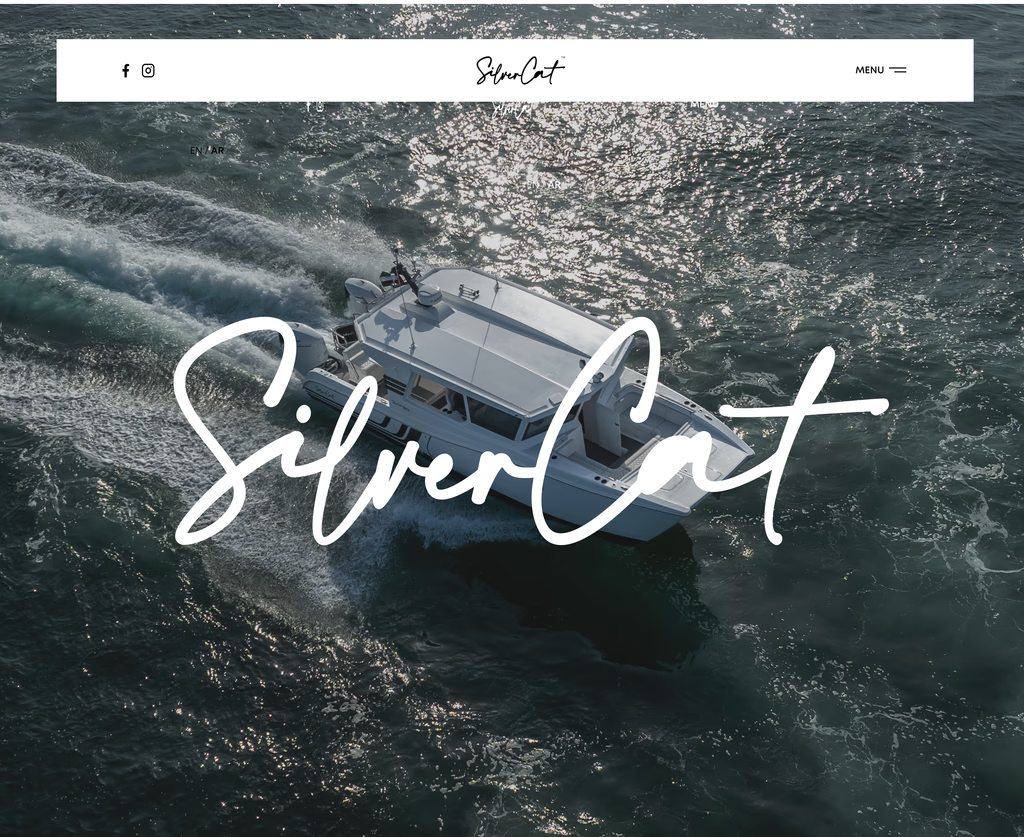 Silver Cat BoatsMarine / Luxury · 2024
 QuadzioSaaS · 2024
 EagleRider Website RedesignTravel & Mobility · 2024
Shown as the standard of work. Each project had its own scope and price. All case studies
Move off Wix without losing your traffic
Book a 30-minute call or send a brief. You get a scope and a fixed quote within 24 hours.
Only need a marketing site of up to 25 pages? The fixed-price website is $1,500, designed and built in Framer and live in 14 days.