By Shaheer Malik · Platform facts checked on 28 October 2026
Quick answer: A site of up to about 25 pages can move to Framer in 14 days for a fixed $1,500 on my website redesign sprint. Every page is redesigned and rebuilt in Framer, content moves into the Framer CMS, and every old URL is redirected so rankings carry over. The site then runs on Framer Pro, because Framer's Basic plan has no redirects.
Pick the move you are planning
- WordPress to Framer: Move a WordPress site to Framer in 14 days for a fixed $1,500: every page rebuilt, posts moved into the Framer CMS and every old URL redirected.
- Webflow to Framer: Move a Webflow site to Framer in 14 days for a fixed $1,500: pages rebuilt, CMS collections moved by CSV and every old URL redirected.
- Squarespace to Framer: Move a Squarespace site to Framer in 14 days for a fixed $1,500. Squarespace exports only part of a site, so the rest is rebuilt and every URL redirected.
- Wix to Framer: Wix sites cannot be exported, so a move to Framer is a rebuild. Done in 14 days for a fixed $1,500, with CMS content moved and every old URL redirected.
What each platform lets you export
This decides how much of a move is an import and how much is a rebuild.
| Moving from | What exports | In practice |
|---|---|---|
| WordPress | Most of it | Posts, pages, custom post types, categories and tags export as a WXR (XML) file |
| Webflow | The CMS | Each CMS collection exports as CSV; pages are rebuilt |
| Squarespace | Part of it | Layout pages, one blog and basic blocks, as a WordPress-format XML file |
| Wix | Very little | CMS collections export as CSV; Wix says sites cannot be transferred and blog posts cannot be exported |
Sources: the export documentation of each platform and Framer's own migration guides, read on 28 October 2026. Each move's page has the details.
The same method on every move
- Inventory every URL. From the sitemap and analytics, list every page that exists today and decide for each: keep, redirect or drop.
- Export what the platform allows. Each platform lets different things out. What cannot be exported is rebuilt from the live site.
- Rebuild the design in Framer. Every page is redesigned and built natively in Framer, not copied pixel for pixel.
- Import the CMS content. Content goes into Framer CMS collections; a sample is checked before the rest is imported.
- Recreate titles and redirects. Titles and descriptions carry across page by page, and every old URL gets a permanent redirect on Framer Pro.
- Switch over, then watch. The old site stays live until you approve the new one. After the switch, old URLs are tested and search coverage is watched.
Redirects first, not launch week
Rankings belong to URLs. A move that changes URLs without redirecting them starts again from zero, however good the new site is. So the URL inventory is the first job, not the last: every page that exists today is listed and given a destination before any design work starts. Framer redirects can match whole folders with wildcards, so an old pattern such as every blog post under one path can be handled in a single rule. How to build the map, step by step, is in the redirect map guide.
Redirects need Framer Pro: Framer's own migration guide says the Basic plan does not include site redirects. Pro was $30 a month billed yearly when I checked.
What a migration costs
| Item | Cost | Notes |
|---|---|---|
| The migration | $1,500 | Once, fixed, 14 days, up to about 25 pages |
| Framer Pro | $360 a year | $30 a month billed yearly, paid to Framer directly |
| Your current platform | Until the switch | Keep it until the redirects have been checked |
| Larger sites | Quoted separately | More than about 25 pages is a migration project |
Running costs, before and after
What each platform charges to run a site, in US dollars billed yearly, as published on 28 October 2026.
| Platform | Per month | Notes |
|---|---|---|
| WordPress | Varies | The software is free; hosting, premium themes and plugins are paid to each vendor |
| Webflow | $15 or $25 | Basic has no CMS; Premium adds it |
| Squarespace | $12, $17 or $25 | Basic, Core and Advanced; custom CSS and JavaScript from Core |
| Wix | $17, $29 or $39 | Light, Core and Business in the US; Business Elite is $159; prices vary by location |
| Framer Pro | $30 | What a migrated site runs on, because redirects need Pro |
What I need from you before day 1
- Access to the current site. An admin login, or an editor seat, so content and settings can be exported and read.
- Google Search Console and analytics. These show which pages earn traffic and leads, which decides what is kept, merged or dropped.
- Your domain's DNS login. Needed on switch day to point the domain at Framer. The old site keeps running until then.
- Where forms and integrations go. Every form, chat widget, booking link and tracking tag, and the inbox or tool each one feeds.
- Brand files. Logo files, fonts and photography you own, so nothing is rebuilt from screenshots.
The pre-launch checklist
- Every old URL returns a permanent redirect to the right new page, tested from the inventory list
- Titles, descriptions and headings match or improve on the old pages
- Every form delivers to an inbox someone reads
- Images carry their alt text, and pages are as fast as or faster than before
- The new sitemap is live and submitted, and analytics records visits
- The old platform stays paid until the redirects have been checked after the switch
After the switch: the first 30 days
Every move includes 30 days of post-launch support:
- Day 1. Every URL on the inventory is requested and must answer with a permanent redirect to the right page or with the page itself.
- Week 1. The new sitemap is submitted in Search Console, and any 404 that appears is fixed with a redirect.
- Weeks 2 to 4. Traffic and leads are compared with the same weeks before the move, page by page for the pages that mattered most.
- Throughout. Your team edits the site, and questions about Framer are answered as they come up.
Is Framer the right place to move to?
Framer suits marketing sites your team wants to edit without a developer. If people log in, store data or need real logic, the site is an application and belongs in code: Framer vs Next.js covers that choice, and Framer vs Webflow covers the other builder most teams weigh. The platform picker asks nine questions and recommends one.
Migration questions
Will I lose my Google rankings when I move to Framer?
Not if every old URL is kept or redirected. Every move starts with an inventory of every URL, and each one that changes gets a permanent redirect to its new page on Framer Pro.
How much does a migration to Framer cost?
A fixed $1,500 for a site of up to about 25 pages, done in 14 days on my website redesign sprint. Framer Pro is paid to Framer directly, and larger sites are quoted separately.
Why do I need Framer Pro and not Basic?
Because of redirects. Framer's own migration guide says the Basic plan does not include site redirects, and redirects are what keep your rankings.
Does my old site go down during the move?
No. It stays live the whole time and is only replaced once you have approved the new site.
Can I move to Framer from a platform not listed here?
Usually, yes. The method is the same: inventory the URLs, export what the platform allows, rebuild in Framer and redirect everything. Send a brief and I will tell you what exports.
Keep exploring
- Website redesign, the service these moves run on
- Migrating to Framer, the guide
- How to build a redirect map
- Framer design and development
- AI visibility score, to check the new site once it is live
Work I designed and built
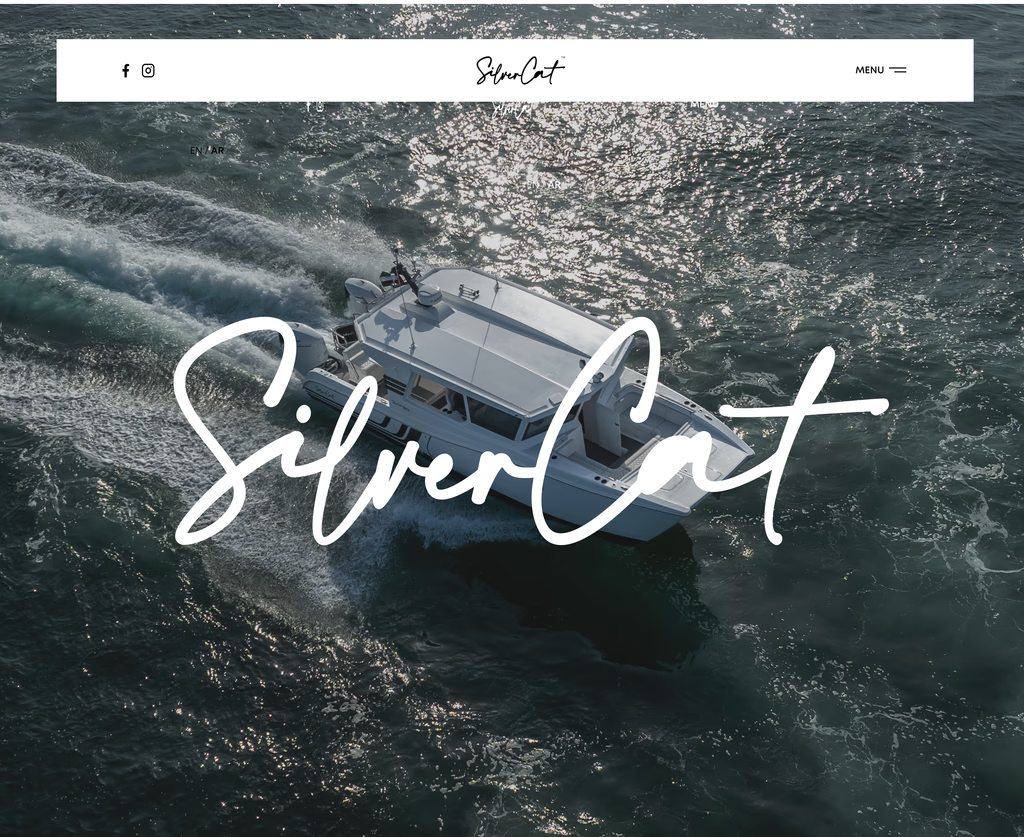 Silver Cat BoatsMarine / Luxury · 2024
 QuadzioSaaS · 2024
 EagleRider Website RedesignTravel & Mobility · 2024
Shown as the standard of work. Each project had its own scope and price. All case studies
Move to Framer without losing your traffic
Book a 30-minute call or send a brief. You get a scope and a fixed quote within 24 hours.
Only need a marketing site of up to 25 pages? The fixed-price website is $1,500, designed and built in Framer and live in 14 days.